Let’s say that you are a Windows user because all of your programs work with it, but you like how the new release of Ubuntu, 11.04 “Natty Narwhal” looks.
Showing posts with label windows 7. Show all posts
Showing posts with label windows 7. Show all posts
Saturday, August 6, 2011
Turn Windows 7 into ubuntu 11.04


Friday, August 5, 2011
Sharing between VMWare's ubuntu 11.04 and host windows 7
Sometimes, you just have to move files from your VirtualBox’s Ubuntu 11.04 virtual machines to a Windows 7 host, but how? It’s simple really! There are couple ways of doing it, but I prefer to keep it simple. The steps are below:


Tuesday, July 5, 2011
power consuption comparision:Mac OS X vs. Ubuntu 11.04, Windows 7
Due to hardware availability, this Independence Day benchmarking was just carried out on an Apple Mac Mini with a 2GHz Intel Core 2 Duo P7350 processor, Apple Mac-F22C86C8 motherboard with NVIDIA MCP79 chipset, NVIDIA GeForce 9400 graphics, 1GB of system memory, and 120GB Fujitsu MHZ2120B SATA HDD.
Apple Mac OS X 10.6.8, Microsoft Windows 7 Professional SP1, and Ubuntu 11.04 were all tested in their 64-bit editions and benchmarked in their stock configurations. The only change to Windows and Ubuntu Linux was installing the proprietary NVIDIA graphics driver.
Boot / Start-Up: For five minutes the power consumption was polled on each system as it performed a cold boot followed by idling at the desktop (automatic log-in) for the remainder of the time.
Tuesday, June 28, 2011
Turning Windows 7 laptop into a wireless hotspot :Here's how
 Sharing your Windows internet connection via software has traditionally been a tricky business.
There are programs that can help you do it, but they're often awkward to set up, and prone to complicated security and reliability issues, so most people don't even try.
But that could all be about to change, thanks to a new Windows 7 feature called Virtual Wi-Fi.
The idea is a simple one: the operating system can virtualise any compatible wireless adapter, to make it appear as though you've as many additional adapters as you need.
22 common Windows 7 problems solved
I like Windows 7: it's faster than Vista, makes better use of your system resources, is packed with interesting features, and looks great, too.
But that doesn't mean it's perfect, of course. If you've moved to Windows 7 recently then you might have noticed various upgrade problems, interface issues and features that seem to have disappeared entirely, among many other complications with the new system.
Don't despair, though - while these problems can be really frustrating, answers are beginning to appear. We've uncovered some of the best and most effective solutions around, so follow our guide and your Windows 7 installation will soon be back on track.
Windows One on One : 7 vs Vista vs XP - Gaming
A fundamental requirement for any gaming PC is that it should be able to run all of your favourite games. Even though it was replaced some time ago, Windows XP remains the best choice for compatibility. Just about every major new release is written to run on XP, and there's a good chance that it will run older DOS games, too.
Windows One on One : 7 vs Vista vs XP - Security
There are plenty of reasons to like Windows XP, but security isn't one of them. The operating system still receives regular patches, and will continue to do so until 14 April 2014, but it's missing Windows Vista's reassuring security developments. The result? XP is now notably less safe to take online than it once was.
Windows compared: Windows 7 vs Vista vs XP-Networking
One of the few fundamental laws of computing is that no network is ever as fast as you'd like, so news of Vista's optimisation of TCP/IP was universally welcomed. Then we got to try out the new system for ourselves and realised that it didn't live up to the hype. Although there are circumstances where Vista's networking works well – transferring large files, for example – typical tests suggest Windows XP often works faster than its younger sibling.
These issues are a real shame, though, because Vista does have some useful networking features on offer. The Network Map displays a helpful graphical view of all your devices and the Network Setup Wizard can be genuinely useful. It's generally simpler to find and connect to wireless networks as well, while WPA2 encryption helps to keep you secure. And if things do go wrong, at least you'll benefit from Vista's detailed status reports. For example, Vista will let you know if your network is OK but you've lost your internet connection. Then the Diagnose and Repair option will try to fix the issue without requiring much input on your part. Internally, nothing too complicated is happening, but anything that helps you avoid using cryptic command-line tools should be welcomed.

HOMELY: Homegroups promise simpler networking, but there's a snag - they're for Windows 7 machines only
Windows 7 takes Vista's networking features and adds homegroups – a simple way to create a network and securely share your pictures, music, videos, documents and printers. Sounds good, right? We're not entirely convinced. Homegroups will only work with Windows 7 systems, so if you've got an old XP or Vista PC then you'll have to create and manage your network the old-fashioned way. Once you've figured out how to do that, it's hard to see why you'd ever move to homegroups in future. It's even possible that users will largely ignore them and continue to create and manage networks just as they always have.
Still, Windows 7 does appear to have improved on Vista's networking performance. It jostled for top spot with XP in our tests, each winning one file transfer speed test apiece. That said, Windows 7 was significantly quicker at transferring large files. Along with its generally useful-feature set, that's enough for us to award it first place. But be aware that network speeds can vary greatly depending on your hardware, so consider our results as provisional.
ScoresXP: 3.5 / 5
Vista: 3 / 5
Windows 7: 4 / 5
Vista: 3 / 5
Windows 7: 4 / 5
Turning Windows 7 laptop into a wireless hotspot :Here's how
Windows One on One : 7 vs Vista vs XP -performance
Buying a Windows OS used to be so simple. A new version appeared, most people agreed it was better than the last one and you'd get a copy for your next PC. Job done.
But Windows Vista changed all that. Despite many years of availability, Vista's poor reception means that computer manufacturers are still selling new systems with XP. It's also common for laptops to be downgraded from Vista to XP, with battery life reportedly improving as a result.
Deciding which operating system is best for you has become decidedly trickier, then, and the arrival of Windows 7 only complicates things further. Is the newcomer just Vista with a facelift? Or has Microsoft learned from its mistakes and delivered a product that will restore its battered reputation? Perhaps you should forget about Vista and Windows 7 altogether, opting for the mature XP instead?
Windows 7 hidden options and tools
Microsoft has done a fine job with Windows 7. All you need do is pop in an installation disc and provide the installer with some internet access information, then you can leave the room and make a cup of tea.
When you come back you'll have a fully working PC, replete with features that make working and playing easier.
Windows 7's Taskbar makes it quicker to find, launch and manage your apps. There are also Libraries, which help you locate related files so you can view your work without spending ages browsing your hard drive.
You get improved security, a host of new and revamped applets, low-level tweaks that improve performance and much more.
However, for PC power users, there's a lingering question: life might never have been easier, but could it be better? With a little effort, some digging and a bit of clever tweaking, could we squeeze more from our machines?
With this in mind, we've gone on the hunt for Windows 7's hidden options and tools, which will enable you to tailor the operating system around your personal style of computing. Take your PC knowledge to a whole new level as you learn how to make Windows work your way!
Unlock your apps
85 Windows 7 tips, tricks and secrets -1
Whether you've just bought a new PC running Windows 7 or you've been using it for a while, there are bound to be things you didn't know you could do.
Whether it's tweaks to get the desktop the way you want it, tips for troubleshooting or ways to squeeze more performance from Windows 7, we've got it covered.
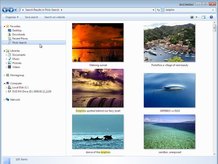 We've updated our popular Windows 7 tips article with a load of new ones, including how to recover locked-up apps, how to extend your jumplists, leave a Windows 7 Homegroup, and
 more. Read on for 85 tips to help you get the best from Windows 7.
1. Problem Steps Recorder
85 Windows 7 tips, tricks and secrets -2
20. Explore God Mode
Windows 7 has changed Control Panel a little, but it's still too difficult to locate all the applets and options that you might need. God Mode, however, while not being particularly godlike, does offer an easier way to access everything you could want from a single folder.
To try this out, create a new folder and rename it to:

85 Windows 7 tips, tricks and secrets -3
40. Hiding the Windows Live Messenger icon
If you use Windows Live Messenger a lot, you'll have noticed that the icon now resides on the taskbar, where you can easily change status and quickly send an IM to someone. If you prefer to keep Windows Live Messenger in the system tray, where it's been for previous releases, just close Windows Live Messenger, edit the shortcut properties and set the application to run in Windows Vista compatibility mode.
41. Customise UAC
85 Windows 7 tips, tricks and secrets -4
63. Find bottlenecks
From what we've seen so far Windows 7 is already performing better than Vista, but if your PC seems sluggish then it's now much easier to uncover the bottleneck. Click Start, type RESMON and press Enter to launch the Resource Monitor, then click the CPU, Memory, Disk or Network tabs. Windows 7 will immediately show which processes are hogging the most system resources.
25 cool Windows 7 interface tweaks
our fresh installation of Windows 7 gives a 'one size fits all' configuration, but there are countless ways in which you can tweak the standard operating system to make it better suit your particular needs.
Built-in customisation options include the usual controls over the interface theme and the way in which Windows alerts you to important events.
There are also a bevy of free add-ons, which provide an even wider choice of customisation options – from ways to change parts of the OS that Microsoft doesn't cater for, to adding clever new features that make Windows 7 even more capable.
Here are 25 of our favourite tweaks.
1. Change the colour of the Aero UI
18 cool things for Windows 7 but not Vista
From Windows 3.1 to Windows Vista, the Windows operating system has taken many giant leaps. And while Vista received a lukewarm reception from some users, Windows 7 is likely to be remembered for addressing those criticisms.
In fact, there aren't many changes to the overall look of Windows 7 when compared to Windows Vista. Instead, Microsoft seems to have paid attention to the feedback it received and created an OS that is not only stable, but also very capable.
So what is new in Windows 7? Here are 18 cool things Windows 7 does that Vista doesn't.
1. Shake 'em away
Monday, June 27, 2011
Ultimate List Of Windows 7 Tips and Tricks
Windows 7 has just been released to the general public and there are several tips and tricks flying around on several blogs, just like our earlier ultimate lists where we collect and share some of the best tips and tricks for a product, here are some of the best tips and tricks for Windows 7.

Windows 7 Features Walkthrough
Want to learn what is new in Windows 7? The How-To-Geek has put up a comprehensive screenshot tour, which walks you through the new features in Windows 7. Take a look at what you should expect from Windows 7 beta to learn more.
Monday, June 6, 2011
Switched On: As Windows loses its windows

Sunday, June 5, 2011
Windows logo planted on upcoming Apple Store in Germany (video)

A quick glance at the above photo might have you believing that's the site of a Microsoft Store being constructed; actually, it's an Apple Store.
Friday, May 13, 2011
Subscribe to:
Posts (Atom)